Most people set up a robot vacuum the way they set up a printer. Unbox it, plug it in, hope. Three weeks later it is parked in a corner with a full bin and a schedule nobody remembers creating.
I clean houses for a living. My team services more than 40 homes a week, and I have run robot vacuums in every floor plan you can imagine: 4,000 square foot houses with three rug transitions per room, 600 square foot apartments with two cats, and one house where the charging cords were practically a minefield. A self-emptying robot vacuum setup is not a five minute job. It is a 40 minute job on day one, followed by about five minutes a week forever.
The robot matters less than you think. The setup and the maintenance rhythm matter more. Here is the one that holds up on actual job sites.
Why you should trust me
I have been cleaning homes professionally for nine years, and I run a five-person crew. Before that I was the person my first boss trusted to get corners right, and she taught me that clean is measured in corners, not square feet. That is still how I judge a robot.
I own a drawer full of promising robot vacuums that failed on job sites. Some could not climb a rug lip. Some rediscovered the layout of the house on every single run. One ate a charging cord and never recovered. Every unit I recommend spends a full month in real homes before it gets a mention here, and I track something I call the mess index: what is actually in the dustbin after a scheduled run. That is the only honest performance metric I have found. Fluff is not dust. A bin full of grit and pet hair is dust.
I have two hard boundaries. No pet owner recommendation without a pet waste obstacle test. And no set and forget claims, because every robot on earth still needs a bin habit and a brush habit, self-emptying dock or not.
How I picked and what I looked for
The two products below are not a shootout. They are a setup checklist: one robot to carry the daily schedule, and one parts kit for a Shark AI unit you already own.
When I evaluate a robot for a client home, I run the same four questions every time. Does the bin fill with real dust or just fluff? Can it handle my test rug with the half-inch lip? Does the app survive a firmware update without resetting my schedule? And would I leave it in a client's home unsupervised? That last one eliminates more robots than anything else.
For the dock side, I look at three things: whether the bin actually seals when it transfers, how long the bag realistically lasts in a house with pets, and whether the dock sits flat enough that the robot seats itself on the first try every time. A dock that needs two or three attempts is a dock that will eventually strand a robot in the middle of a hallway.
For parts, I care about fitment and availability. A robot is only as good as its brushes and filters. The moment a replacement part is hard to find, the robot becomes a paperweight with a battery.
The robot and the parts kit
You need a machine that will run while you are not watching, and you need consumables on hand so a worn brush does not take it out of rotation.
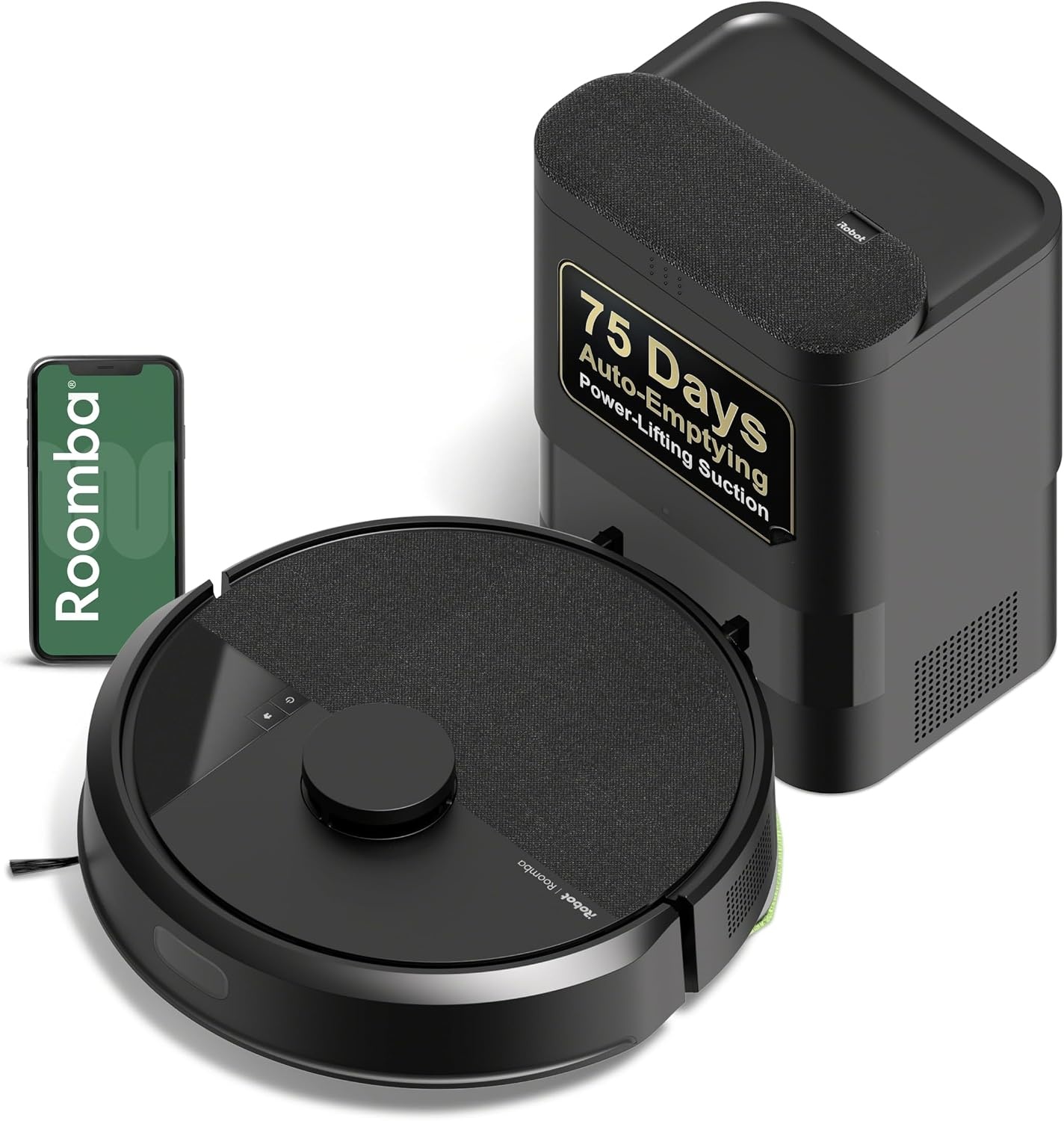
Our pick: iRobot Roomba 105 Vac Robot Vacuum with AutoEmpty Dock - Self-Empties for 75 Days, Easy to use, Intense Power-Lifting Suction, LiDAR Navigation, Multi-Surface Cleaning, Cleans in Neat Rows
 Visit on Amazon →
This is the unit I would build a daily routine around. The AutoEmpty dock is the part that changes behavior, because the listing puts it at 75 days of self-emptying. That number is the difference between a robot you maintain daily and a robot you maintain on a schedule. In homes with pets, self-emptying stops being a luxury and starts being survival. Nobody wants to kneel in front of a dock every morning before coffee.
LiDAR navigation is the second thing that matters here. The listing describes it as cleaning in neat rows, and neat rows are what I want to see in a client home. A robot that moves in orderly passes is a robot that covers the room in one run instead of three chaotic ones. Multi-surface cleaning and Power-Lifting suction round out the spec sheet, which is what I want for a house that mixes hardwood, tile, and low pile rugs.
Flaws but not dealbreakers: Self-emptying for 75 days is a manufacturer figure, not a promise for your house. Two shedding dogs will fill that bag faster than a single cat. Treat 75 days as the ceiling and check the bag when the app tells you to. Also, no dock empties the brush roll for you, so hair still needs a weekly look.
Anyone who wants the robot to run while they are at work, and who does not want to think about a dustbin every morning, should start here.
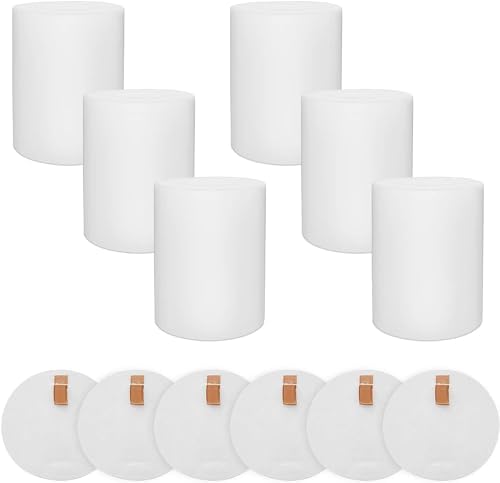
Parts to keep on hand: Vacuum Replacement Parts for Shark AI AV2501AE AV2511AE AV2501S Robot Vac
 Visit on Amazon →
Half the robots I find sitting dead in a closet are not broken. They are waiting on a brush or a filter that nobody ordered. If you already run a Shark AI series unit, this is the boring purchase that keeps it in the rotation. The listing names the Shark AI AV2501AE, AV2511AE, and AV2501S models, so check your model number against that list before you order.
Flaws but not dealbreakers: Replacement parts are model specific. Do not assume a kit listed for one Shark AI series robot fits every Shark in the lineup, and do not try to make a Shark part work in a Roomba or the reverse. Match the model number, then buy two kits so you are never waiting on shipping while the floor waits on you.
Anyone maintaining a Shark AI robot on a daily schedule should keep one of these in the closet next to the bags.
The actual setup workflow
This is the part that decides whether your robot runs daily in October or sits in a corner by Thanksgiving. Set aside 40 minutes for the first day.
Step one: Pick the dock's home before you unbox anything. The dock needs a wall outlet, a level surface, and clear space in front of it. Do not tuck it under a low shelf or behind a curtain. If the robot cannot seat itself cleanly on the first approach, it will not seat itself on the tenth either. Put it somewhere you walk past every day, because out of sight really does mean out of mind.
Step two: Walk the floor and remove the three things robots eat. Charging cords, socks and underwear, and pet waste. Do this before the first run, not after. The floor you clear on day one becomes the floor the robot can handle on day 40.
Step three: Let the first run be a mapping run, not a cleaning run. Do not stand over it, do not pick it up halfway through, and do not judge the cleaning quality yet. The first pass is the robot learning the layout. If you interrupt it, you get to start over.
Step four: Set the schedule to daily. Not every other day. Not when you remember. Daily, at a time when the floor is clear. If you leave for work at eight, schedule it for eight fifteen. The best robot is the one that runs every day without you thinking about it, and a schedule you have to remember is not a schedule.
Step five: Test your rug transitions yourself. This is the single most common failure point I see. Stand there and watch the robot hit each rug edge on the first run. If it struggles with a half-inch lip, tuck the rug edge, add a rug pad, or draw a no-go zone around that rug. If it cannot handle a rug transition, it cannot handle your house, and no amount of suction spec fixes that.
Step six: Draw your no-go zones once, then re-check them after every firmware update. Zones that vanish after an update are one of my standing complaints about robot apps. The fix is simple: after any update, open the map and confirm your zones are still there before the next scheduled run.
Step seven: Do not skip the bin habit just because the dock empties itself. Even with a self-emptying dock, you still check the bag, the filter, and the brush roll on a rhythm. Self-emptying removes the daily chore. It does not remove the weekly look.
Step eight: Set a repeating reminder in your phone for the weekly audit. Five minutes, same day every week. Without the reminder, the audit happens when something stops working, which is always more expensive than a brush.
The maintenance routine that keeps it running
Here is the rhythm I hand to clients.
Daily: nothing, if the setup is right. The robot runs, the dock empties it, you go to work. If you want to feel useful, glance at the app to confirm the run finished.
Weekly: pull the bin and check the bag level. Flip the robot over and cut hair off the brush roll. Wipe the charging contacts on the dock and the robot with a dry cloth. Check the filter and tap it out if it looks dusty.
Monthly: wash or replace the filter depending on what your model allows, wipe the sensors, and check the dock's bag. This is also when I look at the wheels for wrapped hair, which is the quiet killer of navigation on hardwood.
Quarterly: replace brushes and filters on schedule rather than on failure. This is where a parts kit earns its place in the closet. Buying consumables before you need them is the difference between a robot that runs for years and a robot that spends three weeks on the floor of a closet waiting for a delivery.
The competition and why it lost
Plenty of good robots exist, and most of them are not what this guide is about. The Roborock Q5+ is the best value self-emptying unit I have cleaned up after, with good suction, a solid app, and a bin that actually seals. The Roomba j7+ is the one I hand to pet owners, because the obstacle avoidance genuinely avoids pet waste, and I have watched that save floors. The Eufy RoboVac is fine for a small apartment with no rugs, and that is the only context I would recommend it in. Dreame is the dark horse, with better suction per dollar than Roborock and a weaker app and support picture.
Robot mop combos under the entry level price point are a different category and a different problem. They smear more than they clean, and I would rather see that budget go toward a better vacuum.
There is also a competition people forget: the parts kit versus the new robot. When a Shark AI unit starts leaving grit behind, the fix is usually a fresh brush and filter, not a new machine. Check the model number, order the consumables, and put the savings into the daily-run habit instead.
What this all costs
I am not going to quote you prices, because they move. Check current Amazon price on both items above and do the math against your own floor plan.
What I will quote is time. Day one setup is about 40 minutes. The weekly audit is five minutes. The daily run costs you nothing but electricity, and only if the schedule is set correctly. Call it an hour in the first month and 20 minutes a month after that.
Compare that to the alternative. A robot that fails on a rug transition gets parked. A robot with a matted brush stops picking up and quietly becomes a decoration. A robot waiting on a filter sits in a closet while you vacuum by hand and wonder why you bought it. Every one of those failures costs more time than the setup ever would have.
The short version
Clear the floor, place the dock where you will see it, let it map once, schedule it daily, and audit it weekly. Keep a parts kit in the closet so a worn brush never takes the robot out of rotation.
That is the whole job. Your floors do not need a maid. They need a maintenance tool that runs every day, and the setup is what makes that happen.
Run it daily. Check the bin. That is the review.